Visualizing surgical case data
- Data visualization
- Data distribution analysis
- Interactive data
- Postgres
- Django
- Vue
- d3.js
- Developed a bee swarm chart to visualize distributions of surgical case costs, later incorporating additional surgical outcome data fields
- Added median and percentile lines, tooltips, and highlighting features based on user feedback to improve interpretability and usability
Designing an interactive bee swarm chart to improve data insights
Context
Our hospital supply chain users wanted to understand how surgical cases vary in terms of cost, product usage, and patient outcomes. As well, they wanted to know what “typical” cases look like, how common those typical cases are, and what to make of outliers.
My role
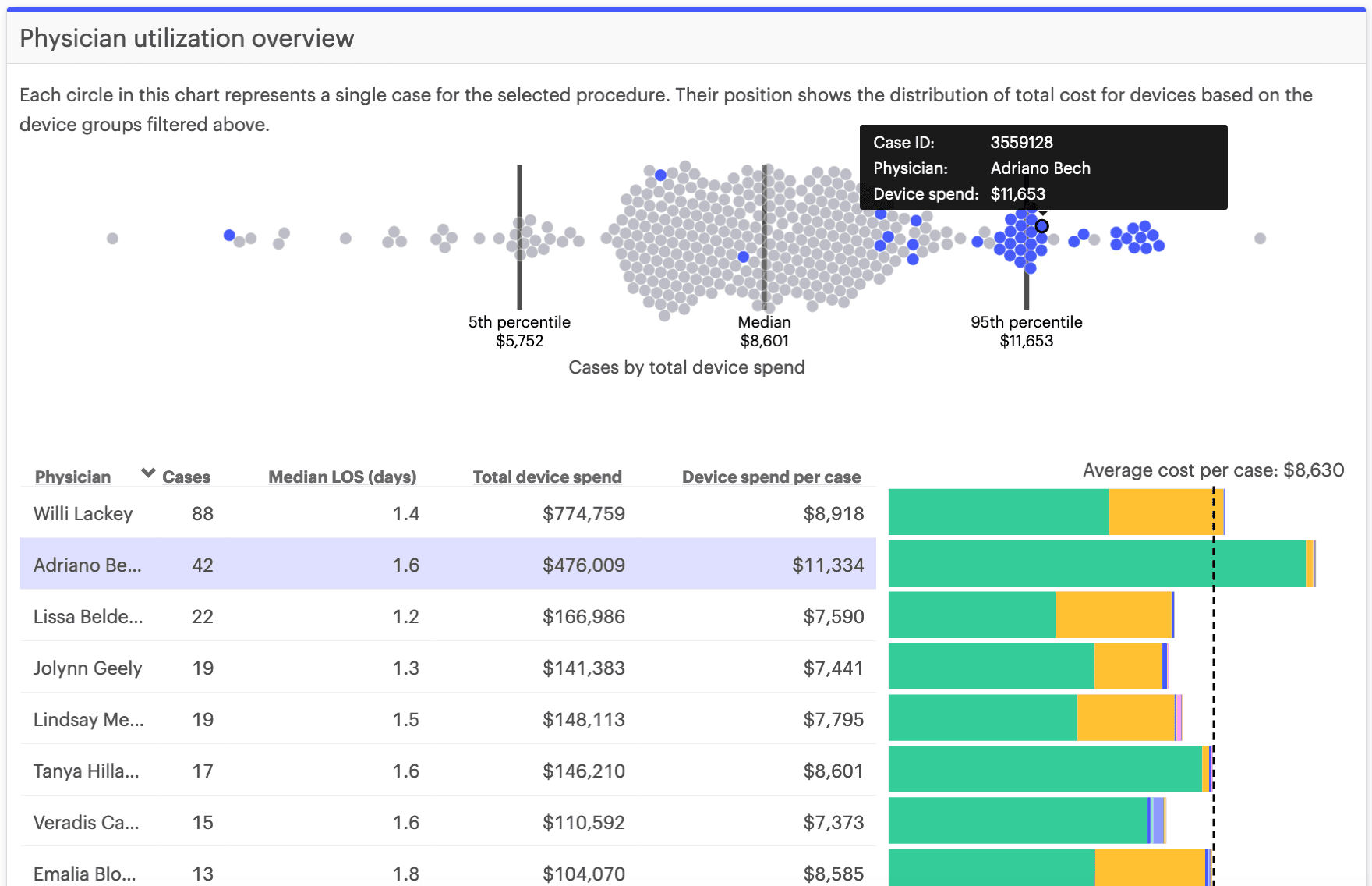
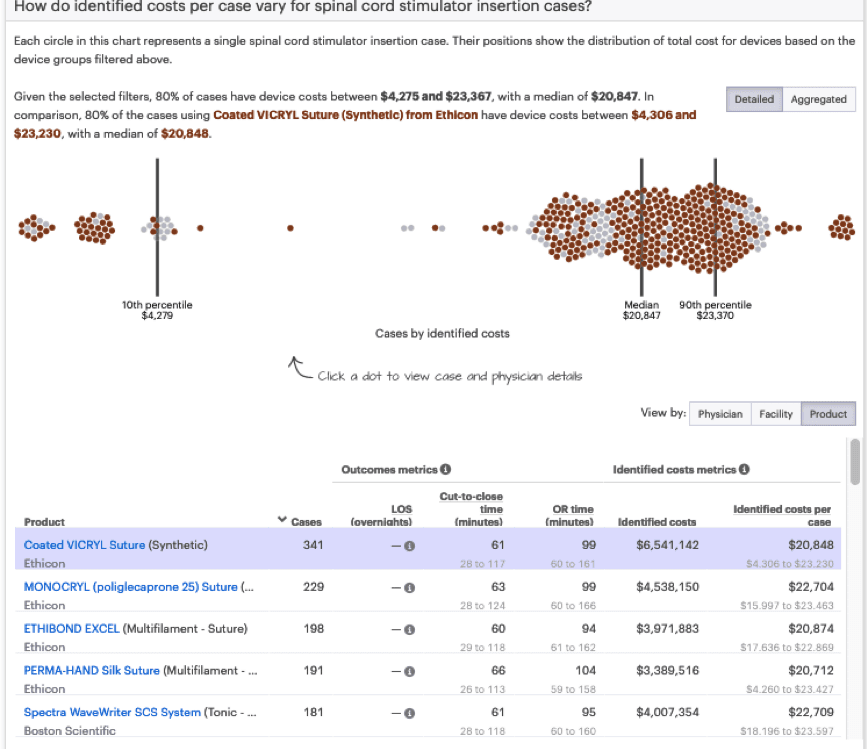
There are many ways to visualize and compare numerical data distributions, typically bar charts and histograms. However, when data points are discrete, are on a continuous scale, and make up a reasonable total count, one relatively intuitive chart type for users is the bee swarm chart. This chart type includes circles along a single axis that cluster around the value they represent - sometimes looking like swarming bees or a honeycomb. I suggested and designed the original bee swarm chart for our team, got feedback from users on its interpretability, and worked with my team to componentize it.
Solution
The original bee swarm chart included a blue dot for each surgical case using a given product, spaced along the x-axis which represented the total costs for all products utilized in a surgical case. After some iteration, we added additional features:
- Labeled, vertical lines to represent the median value
- 10th and 90th percentile lines for dispersed distributions
- Tooltips with surgical case details, which I later replaced by a more detailed pop up modal
- An option to represent distributions of numerical data fields other than cost per case, such as operating room (OR) time and length of stay
- A feature permitting users to highlight certain cases, such as those performed by a particular surgeon, and compare the distribution of highlighted cases against those which are not in the selected set
Outcome
I later identified other product features that could make use of the bee swarm chart component, for users to see and understand data distributions of other data sets. Because of its visual appeal, it has been used extensively in marketing materials for the software.
Insights
Data interpretation: Through user testing, I discovered that people sometimes need a bit of direction (in the form of descriptive text and other visual indicators) to know how to use an interactive tool or to understand what an unfamiliar chart type represents. Another discovery is that with certain distributions it can be hard to identify what “typical” or “outlier” means, so we added a median line and, when they differed considerably from the median, 10th and 90th percentile lines.
Data actionability: This was a good exercise in learning that beauty and ease of use don’t make data transparency inherently actionable. Even for users who could interpret the distributions of case costs for surgical cases using a given product, they didn’t know what to do with that information without a ton of extra detail that we eventually added in the form of tooltips and popup modals.
Technical experience: This project gave me experience thinking how to communicate distributions (and distribution comparison) to non-technical users. As well, I learned how to visualize scatterplots with d3.js and how to make front-end performance improvements using web workers.
What I would do differently next time
With lots of of data and limited browser memory, I learned to consider chart performance! Rendering bee swarm charts can become slow on the front end when there are thousands of items. In this case, one of my colleagues suggested and set up parallel threads using web workers.
As well, bee swarm charts with thousands of items (e.g., surgical cases) can be impractical for a user to dig into, so another colleague set up an alternate density distribution chart that rendered by default; eventually, we made it so that users could jump back and forth between the two ways of visualizing distributions.
After trial and error, we found that a good breakpoint based on usability and performance was about 750 "bees", so anything above that count rendered as the density chart by default instead.