Defining data visualization components
- User experience research
- Vue
- d3.js
- Data visualization
- Transitioned from a BI tool to custom-built data visualization components for more flexibility and stability
- Conducted a design charrette involving 30 colleagues to gather feedback on chart designs, leading to informed specifications for initial chart components
- Engaged diverse company departments, identifying internal partners for future feedback and fostering enthusiasm for the new analytics tools
How I applied an architecture feedback technique to inform strong UI design
Context
My team switched from an off-the-shelf BI tool (Mode Analytics) to building our own custom dashboards and data visualizations using d3.js, Vega, and Vue. We needed more flexible, performant, and stable visualization components.
My role
I was the lead front-end engineer for this project. On my team were several designers and the lead backend engineer to help implement the components.
Process
As we were rebuilding everything for the switchover, we started with the most common chart types - bar, line, and scatterplot charts. To make sure we considered all important user factors before coding anything, we needed to think about each property of the charts - size, scale, color, etc. I wanted to iteratively include user feedback so we didn’t miss anything important or make major architectural mistakes, but to do so without using up valuable user research resources on client users.
Solution
Recognizing that company staff were similar in education and data literacy to our users, I decided to apply a concept I learned in architecture school - the design charrette.
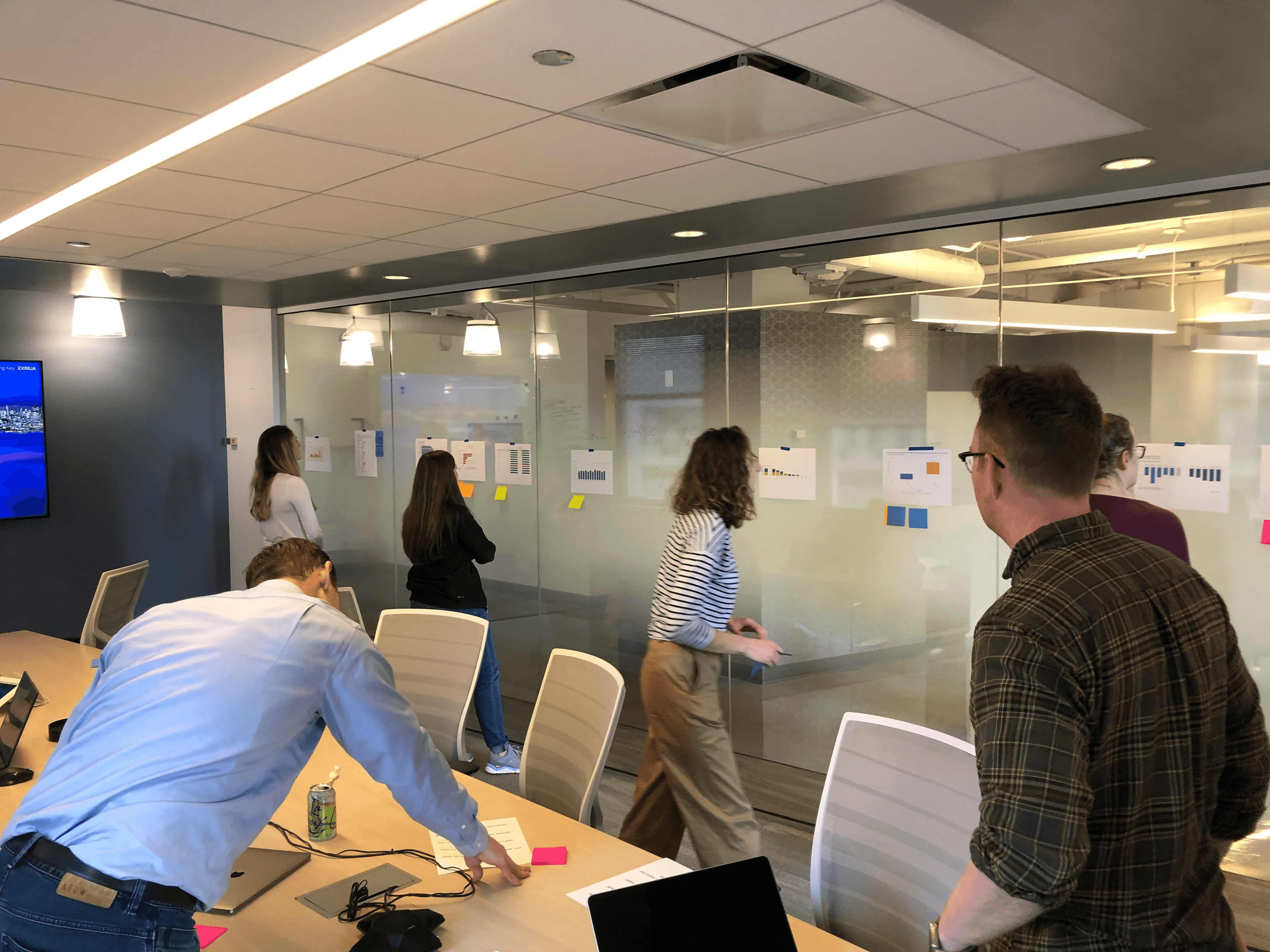
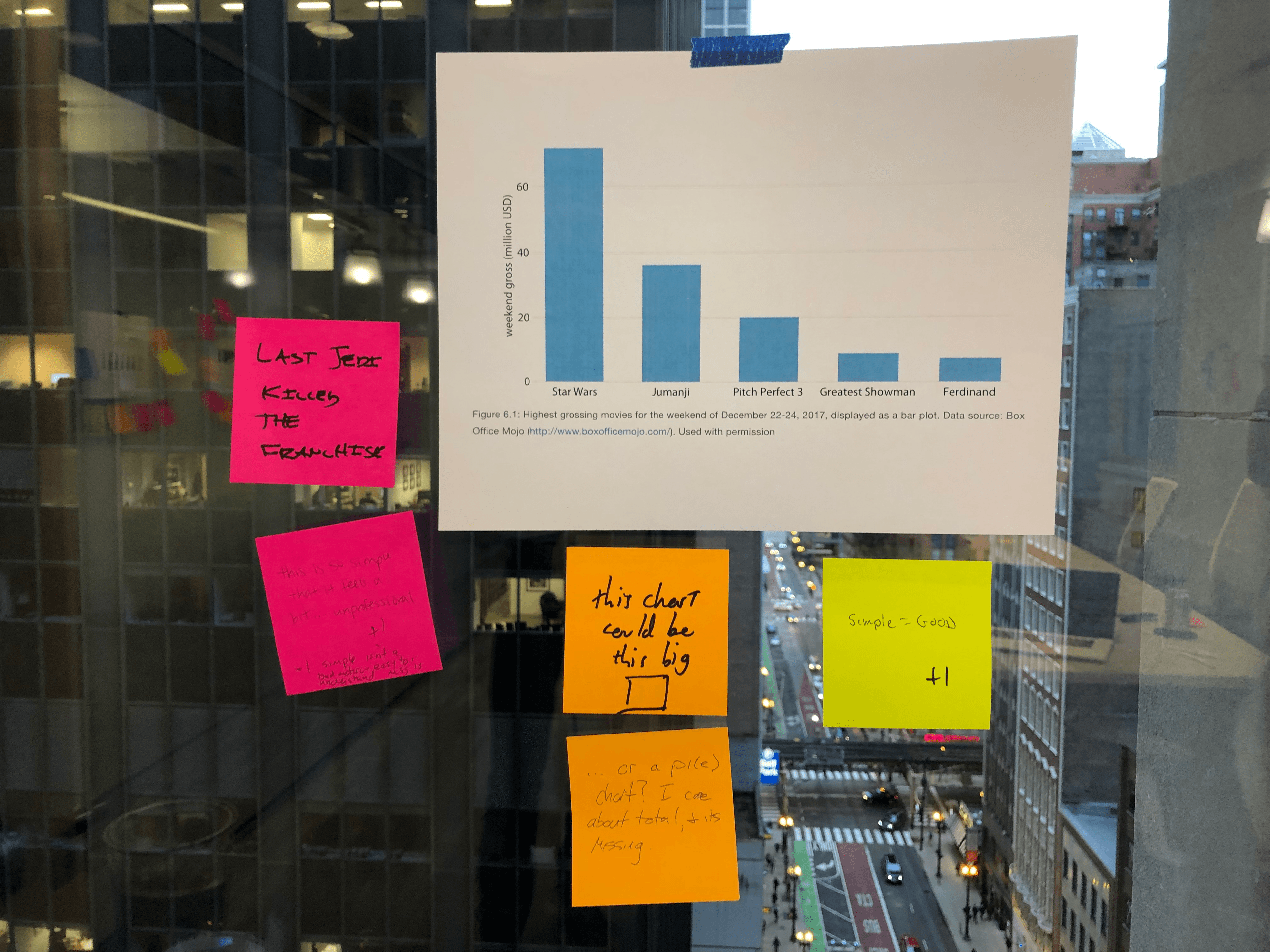
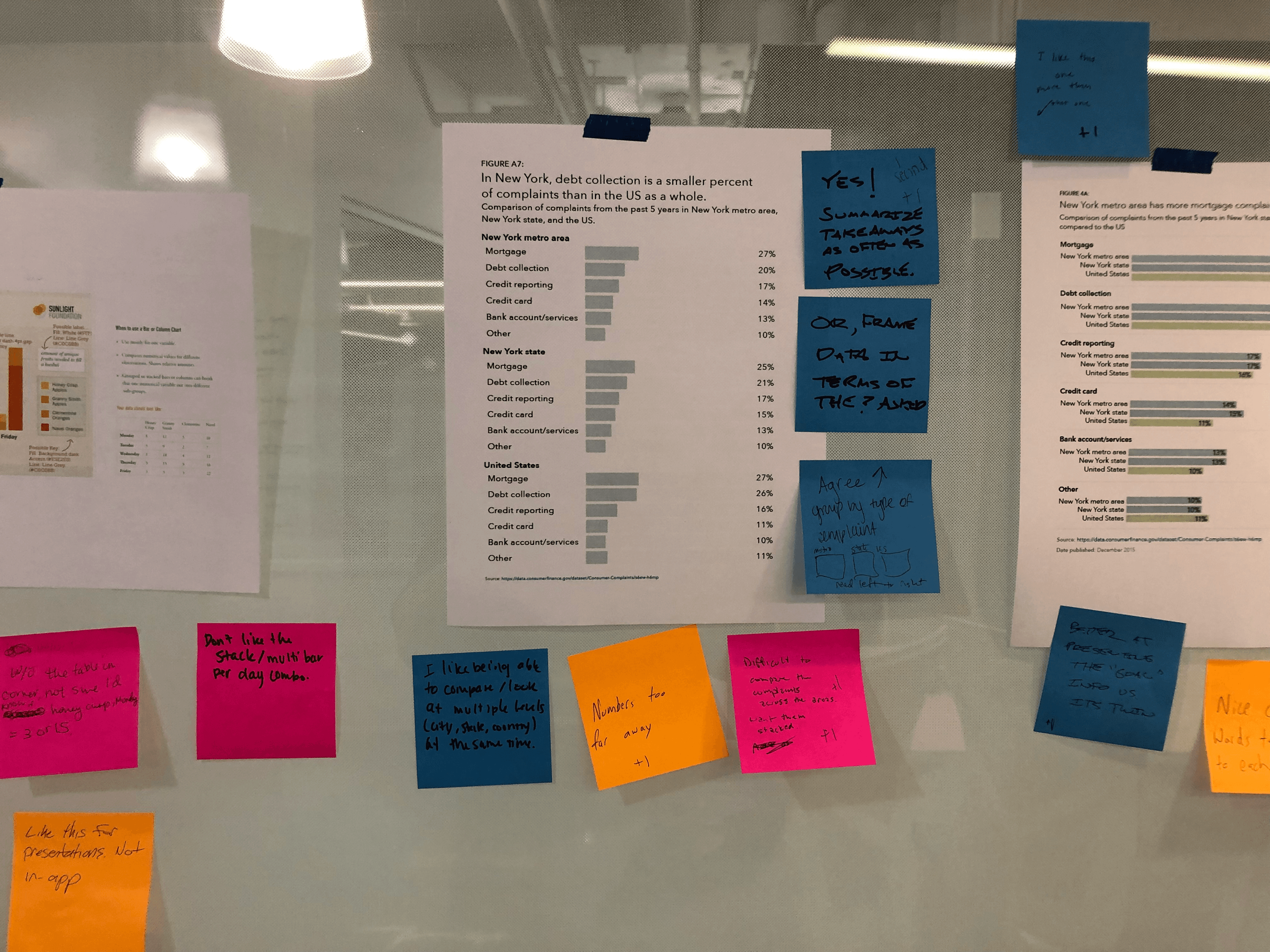
Design charrettes are an interactive process involving a physical model or rendering, often of a building or a streetscape, that participants can see, touch, talk about, and leave comments of their reactions. In this case, instead of getting feedback on a building model, I wanted to get feedback on chart designs. I used examples of charts we would typically show in the existing BI tool, plus examples I found elsewhere on the web, and even some historical charts to really get discussion going. I printed out each example, stuck each chart example to a wall within a large conference room, and asked colleagues to provide feedback on post-it notes of what aspects they liked, what they didn’t, what was clear, and what was confusing.
I invited the entire company to attend, and in total had probably 30 or so participants from the engineering and product teams, but also from research, client-facing teams, marketing, finance, and HR.
Outcome
The result was that we had 30 educated perspectives on chart attributes that allowed me to confidently write up the specifications for our initial chart components. Because my specialty data viz team was small and new, it was a great way to engage the whole company with our work and get them excited about the analytics tools we were building. As well, since I’d only been at the company a few months, it helped me identify internal partners who could provide future feedback which was critical to our iterative, user-centered analytics development.
“I still share with friends and colleagues that my favorite day of the year at Lumere was when we were invited to engage and provide layperson feedback for the data viz models!” - charrette participant
Insights
I learned there were differences between more analytical professionals (think finance) vs. others that informed the feedback provided in terms of their data and chart literacy. As I got more engaged with our client users, it became clear that this distinction exists within their professions as well, and that feedback needed to come from both perspectives to make sure the message depicted was clear.
As well, some of the comments were based on “best practice” for static chart design often taught in schooling that differs from “best practice” in modern browser-based interactive visualization. For example, some commenters expected axis lines and a legend on every chart - which is great practice for printed materials but could create unnecessary distractions or less clarity on some digital chart types. For line charts for example, one good option is to eschew a legend in favor of directly labeling lines. And in certain contexts, other types of labeling or interactions can be more clear than standard axis lines with tick marks.
Another fun finding was that staff associated the company’s brand color - affectionately called “blurple” - as being positive, so that finding suggested that we use it to represent recommendations for our clients.
What I would do differently next time
This activity was done in an office setting where I could easily advertise my event with a simple sign hanging outside the bathrooms, allowing for participants to wander over when they needed an afternoon break. For hybrid or remote settings, this process would require collaborative design tools to get feedback, although the organic “art gallery style” conversations could be difficult to replicate.